Course contents
Making the computer speak
Your first program prints a message, and in doing so teaches how code runs, how output appears, and how to read the errors that will be your constant companions. Starting tiny makes the whole thing un-scary.
- Write and run a first program that prints output
- Understand how a program executes line by line
- Read a basic error message without fear
Every programmer's first program does the same small thing: it makes the computer say something. It looks too simple to bother with, but it teaches three things you will use in every program you ever write, how to produce output, how code runs, and how to read an error. We start here precisely because it is tiny, so nothing distracts from those three ideas.
The print command
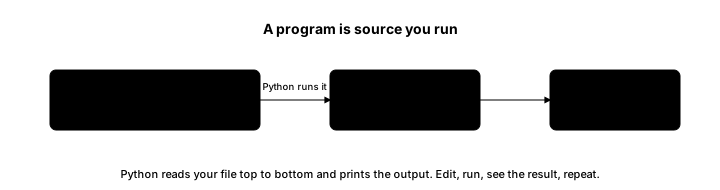
Here is the traditional first program, with a trading twist.
# The traditional first program: make the computer say something.
print("Hello, markets!")Hello, markets!
Run it and the output is a single line: Hello, markets!. The whole job is done by print, a built-in command that takes whatever you put in its brackets and displays it. The text sits inside quotation marks, which tell Python that this is a piece of text, a string, to be shown exactly as written, rather than code to run. Change the words between the quotes and you change what appears. That is your first program, and it already does something real: it produces output you can see.
How a program runs
A Python program runs from top to bottom, one line at a time, in order, like following a list of instructions. The first line runs, then the next, then the next, until there are none left. Our program has only one line, so it prints once and stops, but a longer program simply has more lines, each carried out in turn. This top-to-bottom order is worth fixing in your mind now, because when a program does something unexpected, tracing it line by line in the order it runs is how you find out why.
Errors are feedback, not failure
You will see errors constantly, and the sooner you make peace with that the better. An error is not a sign you are bad at this; it is the computer telling you, precisely, that it did not understand something, and it is feedback you learn to read.
Suppose you made a small typo and wrote primt("Hello, markets!") instead of print. Python would stop and show an error ending in a line like NameError: name 'primt' is not defined. That looks alarming the first time, but read it plainly and it is helpful: Python is saying it does not know any command called primt, which points you straight at the misspelling. The habit to build is simple. When you hit an error, do not panic or delete everything. Read the last line, which names the kind of error and usually the thing that went wrong, and look at the line number it mentions. Most beginner errors are small: a misspelling, a missing bracket, a forgotten quotation mark. The error message is the map to the fix.
Every programmer, however experienced, produces errors all day long. The difference between a beginner and an expert is not that the expert avoids errors, but that they read them calmly and fix them quickly. Start building that calm now, while the programs are one line long.
What to carry forward
Your first program used print to make the computer speak, showing how output is produced, how a program runs from top to bottom one line at a time, and how to read an error as plain feedback rather than failure. That calm with errors is a skill in itself, and you build it now while the code is simple.
So far the computer has only displayed fixed text. To do anything useful, a program needs to remember values and work with them, a price, a quantity, a name. The next chapter introduces variables and the types of value they can hold.