Course contents
Storing a value
A variable is a named box that holds a value, and values come in types, numbers, text, and true-or-false, that behave differently. These are the nouns of the language.
- Create variables and assign values
- Distinguish the core types (integers, floats, strings, booleans)
- Inspect a value's type
So far our programs have only displayed fixed text. To do anything useful, a program has to hold on to values and work with them: a price, a quantity, the name of a stock. The tool for that is the variable, and the values it holds come in a few basic kinds, called types, that behave differently from one another. Variables and types are the nouns of programming, and almost everything else is built on them.
A variable is a named box
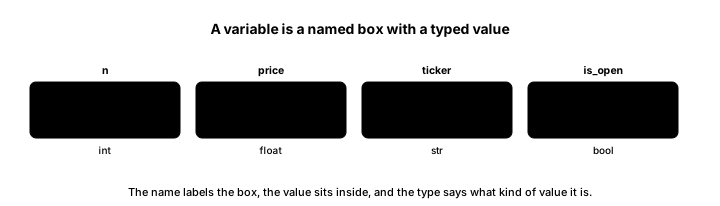
A variable is a name you give to a value so you can store it and use it again later. You create one by writing a name, an equals sign, and the value, which is called assignment. Write quantity = 10 and you have put the value 10 into a box labelled quantity; from then on, wherever you write quantity, Python uses 10. If you later assign a new value, the box holds the new one instead. Good variable names describe what they hold, like buy_price or ticker, so your code reads almost like plain language.
The core types
Every value has a type, which tells Python what kind of thing it is and what you can do with it. Four types cover most of what a beginner needs, and this small program creates one of each.
# Four values, four types.
ticker = "RELIANCE"     # a string (text)
quantity = 10           # an integer (a whole number)
price = 1400.50         # a float (a decimal number)
is_open = True          # a boolean (True or False)

print(ticker, quantity, price, is_open)
print(type(ticker), type(quantity), type(price), type(is_open))RELIANCE 10 1400.5 True <class 'str'> <class 'int'> <class 'float'> <class 'bool'>
The output shows the four values on the first line, RELIANCE 10 1400.5 True, and their types on the second. Read them one by one.
A string is text, written in quotation marks, like the ticker "RELIANCE". An integer, or int, is a whole number with no decimal point, like a quantity of 10. A float is a number with a decimal point, like a price of 1400.50, which is what you use for most prices and returns. And a boolean, or bool, is one of just two values, True or False, which represents a yes-or-no fact, like whether the market is_open. The second line of output, showing <class 'str'>, <class 'int'>, <class 'float'>, and <class 'bool'>, is Python reporting each value's type when asked with the built-in type command.
Why the type matters
Types matter because Python treats different types differently, and mixing them carelessly causes errors. Adding two integers gives their sum, but the same plus sign between two strings joins them end to end, and trying to add a number to a piece of text is a mistake Python will refuse. This is not Python being fussy for its own sake; it is the language keeping you from nonsense like adding a ticker symbol to a price. As your programs grow, a surprising share of bugs come down to a value being a different type than you assumed, a price that arrived as text rather than a number, say, so knowing how to check a value's type with type is a genuinely useful habit.
For now, hold the simple picture: a variable is a named box, and the value inside it is of some type, text, whole number, decimal, or true-or-false, that decides how it behaves.
What to carry forward
A variable is a named box you fill by assignment, and the value inside is of a type: a string for text, an integer for whole numbers, a float for decimals, and a boolean for true-or-false. The type governs how a value behaves and how it combines with others, which is why mixing types carelessly causes errors, and the type command lets you check. These are the nouns of the language.
With values stored in variables, the next step is to compute with them. The next chapter puts Python to work as a tireless calculator, turning prices and quantities into a trade's profit and return.