Course contents
Standing on others' work
Python's real strength is the vast collection of packages others have written, installed with a package manager and brought in with import, so you rarely build from scratch. This chapter explains the ecosystem you are about to lean on.
- Import from the standard library and call its functions
- Install a third-party package and import it
- Explain what pip and the package ecosystem are
Part 2 taught you the language itself. Part 3 is the turning point where Python becomes genuinely useful for a trader, and it begins with the single idea that makes Python so strong: you almost never build from scratch. Others have already written, tested, and given away tools for nearly everything you will want to do, from statistics to fetching prices, and you bring their work into your program with one word, import. Learning to stand on that work is what turns a beginner's toy into a real tool.
The standard library and beyond
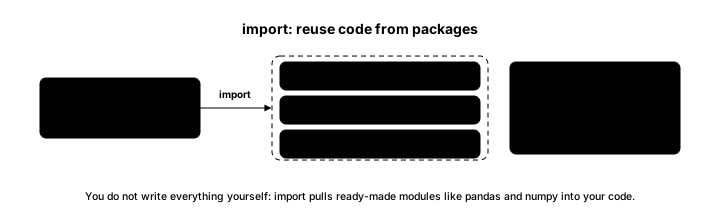
Python comes with a large standard library, a set of modules included with the language that you can import and use straight away. Beyond that lies an enormous world of third-party packages, written by the community and installed with a tool called pip, Python's package installer. This program uses one of each.
# Import ready-made tools instead of writing everything yourself.
import statistics                 # from Python's standard library

closes = [1380, 1402, 1395, 1410, 1425]
print("Mean close:", statistics.mean(closes))
print("Std dev:", round(statistics.pstdev(closes), 2))

import numpy as np                # a third-party package, installed with pip
arr = np.array(closes)
print("NumPy mean:", arr.mean())Mean close: 1402.4 Std dev: 15.0 NumPy mean: 1402.4
The first import, statistics, is a standard-library module, always available, and it computes the mean of the closes as 1402.4 and their standard deviation as about 15.0 without you writing the formulas. The second import, numpy, is a third-party package, one you install once with pip, brought in here under the short alias np by long-standing convention. It computes the same mean, 1402.4, on an array. Two imports, a great deal of work you did not have to do.
pip and the ecosystem
When you need a package that is not in the standard library, you install it once with pip, typically by running a command like pip install numpy in your terminal or notebook, after which you can import it in any program. That single mechanism opens up the whole ecosystem: numerical tools, data tables, charting, machine learning, and libraries for fetching market data, all a pip install away.
Two packages matter most for the rest of this course, and you just met one. NumPy provides fast numerical arrays and is the engine underneath almost everything quantitative. pandas provides labelled tables built for data like prices, and it is where most of your real work will happen. The next two chapters take them in turn. For now, hold the mindset that separates a productive Python user from a struggling one: before writing a hard piece of code yourself, ask whether a well-tested package already does it, because for the common tasks of data and trading, one almost always does.
What to carry forward
Python's strength is that you import ready-made work rather than writing it: the standard library ships with modules, and pip installs the huge world of third-party packages, brought in with import. The two that carry this course are NumPy for fast numerical arrays and pandas for labelled tables. The habit to build is to reach for a tested package before writing hard code yourself.
The next chapter meets the first of those two properly: NumPy, and how it does arithmetic on a whole series of prices at once, without the loop you would otherwise write.