Course contents
Working with words
Tickers, dates, and labels are text, and Python has rich tools for building and formatting strings, above all the f-string, which you will use constantly to report results cleanly.
- Create and combine strings
- Format numbers into readable text with f-strings
- Handle a ticker symbol or label as text
Not everything in trading is a number. Tickers, exchange names, dates, and every result you want to report in a readable way are text, which Python calls strings. You met strings in passing already; this chapter gives them their proper due, because the tool at the centre of them, the f-string, is how you turn raw numbers into the tidy output you will produce in almost every program from here on.
Joining and formatting
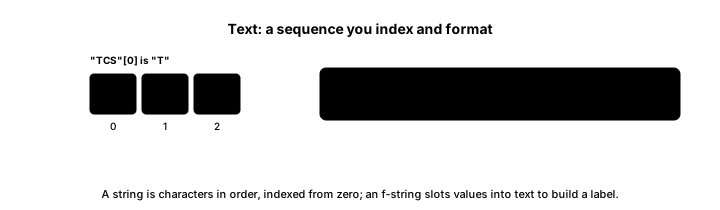
A string is text inside quotation marks, and the simplest thing you can do with two of them is join them end to end with a plus sign. More useful by far is the f-string, a string with an f in front of the opening quote, inside which you can drop a variable in curly braces and have its value appear, optionally formatted. This small program shows both.
# Working with text: joining strings and formatting numbers.
ticker = "RELIANCE"
price = 1402.5
change_pct = 1.37

label = ticker + " (NSE)"          # join two strings
print(label)
print(f"{ticker}: {price:.2f}, up {change_pct:.2f}%")   # f-string formatting
print(f"{ticker.lower()} has {len(ticker)} letters")RELIANCE (NSE) RELIANCE: 1402.50, up 1.37% reliance has 8 letters
The output is three lines. The first, RELIANCE (NSE), is two strings joined with a plus sign. The second, RELIANCE: 1402.50, up 1.37%, is an f-string: the {ticker} was replaced by its value, and {price:.2f} inserted the price formatted to two decimal places, which is why 1402.5 appears as a tidy 1402.50. The third line shows that strings have useful operations too: ticker.lower() gives a lower-case version, and len(ticker) counts its characters, here 8.
Why f-strings matter so much
That :.2f is worth dwelling on, because you will use it constantly. A raw computed number often prints with many decimal places or in an ugly form, and an f-string lets you control exactly how it appears: :.2f for two decimals on a price or percentage, and similar codes for other formats. When your programs start producing returns, volatilities, and prices, the f-string is what turns a sprawling 10.000000001 into a clean 10.00%, and readable output is not a vanity; it is how you catch mistakes and trust your own results. Get comfortable with f-strings now, because every later chapter leans on them to report what it computed.
Strings also carry the labels that keep your data meaningful. A price of 1402.5 means little until a ticker string tells you it is Reliance and a date string tells you when. As your programs grow to handle many instruments, the text that names and labels the numbers is as important as the numbers themselves.
What to carry forward
Text in Python is a string, joined with a plus sign and, far more usefully, built with f-strings that drop variables into text and format them, as {price:.2f} did to turn 1402.5 into 1402.50. Strings also carry the tickers, dates, and labels that give your numbers meaning. You will use f-strings to report results in nearly every program ahead.
A single price or label is one value, but trading deals in many at once, a week of closes, a list of tickers. The next chapter introduces the list, Python's ordered container for a sequence of values.