Course contents
From click to fill
An order is not filled the instant you send it. It moves through states, sent, acknowledged, open, partially filled, filled, rejected, or cancelled, and a safe system tracks that state rather than assuming success. This chapter draws the order state machine and explains why every serious bug in an order manager is really a confusion about state.
- Describe the lifecycle states of an order and the transitions between them
- Explain why a program must wait for an acknowledgement rather than assume a fill
- Identify the failure states (rejected, cancelled, unknown) that code must handle
When you place an order by hand and see "completed" flash on the screen, you rarely think about the small journey the order just took. A program has to think about nothing else. Between sending an order and having a position, the order passes through a series of states, and the single most common source of bugs, and losses, in automated trading is a program that assumed an order had reached one state when it was really in another. So learn the states, and learn to always check which one you are in.
The states an order passes through
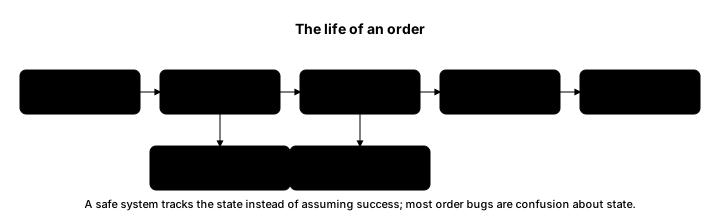
An order lives in one of a handful of states, and it moves between them in a limited set of ways. Naming them precisely is half the battle.
- Pending, or sent: your program has sent the order, but the broker has not yet confirmed it. You do not yet know if it was accepted.
- Open: the broker has accepted the order and it is working in the market, waiting to fill. A resting limit order sits here.
- Partially filled: some of the quantity has traded, but not all. A 100-share order that has filled 40 is here, with 60 still working.
- Filled: the whole order has traded. Only now do you truly have the position you wanted.
- Rejected: the broker refused the order, for a reason such as insufficient funds or a bad price. Nothing traded.
- Cancelled: you, or the system, called off an order that had not fully filled. Nothing more will trade.
Here is one limit order travelling through these states as prices arrive, followed by the two terminal states every program must handle.
# An order is not filled the instant you send it. It moves through states, and a
# safe program tracks that state rather than assuming success. Here we watch one
# limit order travel from resting to partly filled to filled, then show the two
# terminal states a program must always handle: rejected and cancelled.
from paper_broker import PaperBroker

# liquidity=40 means a resting limit order fills at most 40 shares per price event.
broker = PaperBroker(cash=2_000_000, prices={"RELIANCE": 1400}, liquidity=40)

print("A limit order's journey:")
order = broker.place_order("RELIANCE", "BUY", 100, "LIMIT", price=1395)
print(f"  placed:      {order.status:<17} {order.filled_quantity}/{order.quantity}")

for tick in [1396, 1394, 1393, 1392]:
    broker.feed_price("RELIANCE", tick)
    print(f"  after {tick}:  {order.status:<17} {order.filled_quantity}/{order.quantity}")

print("\nTerminal states you must handle:")
rejected = broker.place_order("RELIANCE", "BUY", 1_000_000, "MARKET")   # far too big
print(f"  rejected:    {rejected.status:<17} reason: {rejected.message}")

to_cancel = broker.place_order("RELIANCE", "SELL", 10, "LIMIT", price=1500)
broker.cancel_order(to_cancel.order_id)
print(f" cancelled: {to_cancel.status:<17} (never traded)")A limit order's journey: placed: OPEN 0/100 after 1396: OPEN 0/100 after 1394: PARTIALLY_FILLED 40/100 after 1393: PARTIALLY_FILLED 80/100 after 1392: FILLED 100/100 Terminal states you must handle: rejected: REJECTED reason: insufficient funds cancelled: CANCELLED (never traded)
Read the journey. The order is placed and rests, OPEN, because the market has not reached its price. A tick at 1,396 passes and it is still OPEN. When prices reach the limit, it fills in pieces, 40, then 80, sitting in PARTIALLY_FILLED, before reaching FILLED at 100. Only at that last line do you actually hold 100 shares. Below it are the two endings that are not fills: an order rejected for insufficient funds, which never traded, and an order cancelled before it could. A program that treats "I sent it" as "I own it" is wrong in every one of these cases except the clean fill.
Why you must wait, not assume
Here is the discipline the states demand. After sending an order, your program does not know what happened until the broker tells it. It might be filled, it might be resting, it might be rejected. Assuming the happy case is how automated accounts drift from reality. A program that fires a buy and immediately acts as though it is long, without confirming, will base its next decision on a fiction if that buy was rejected or only partly filled. The correct habit is to send, then wait for the broker's acknowledgement, then read the actual state, and only then decide what to do next. Those confirmations arrive on the same kind of stream you met in the last part, and every one updates an order's state.
Every state must be handled
The states that hurt are the ones beginners forget. It is easy to write code for "the order filled." The orders that cause losses are the ones that did something else: the reject you did not notice, so you think you have a hedge you do not; the partial fill you treated as complete, so your size is wrong; the cancel that did not go through, leaving an order live you thought was dead. Dependable order handling is mostly the discipline of asking, for every order, "what state is it actually in," and having an answer prepared for each. The next chapter takes the messiest of these, the partial fill, and the one after builds the order manager that keeps this state straight for you.
What to carry forward
An order passes through states, pending, open, partially filled, filled, rejected, cancelled, and it is a position only when filled. After you send an order you do not know its state until the broker confirms, so the correct habit is send, wait for the acknowledgement, read the real state, then decide, never assume success. The endings that cause losses are the forgotten ones: the reject, the partial, the failed cancel. You saw one order travel the full journey with the two terminal states beside it. Next, the messiest state of all, the partial fill, and why a big order is really many.